iTunes Library Check Archived
Archived — this app is no longer maintained. Details preserved for reference.
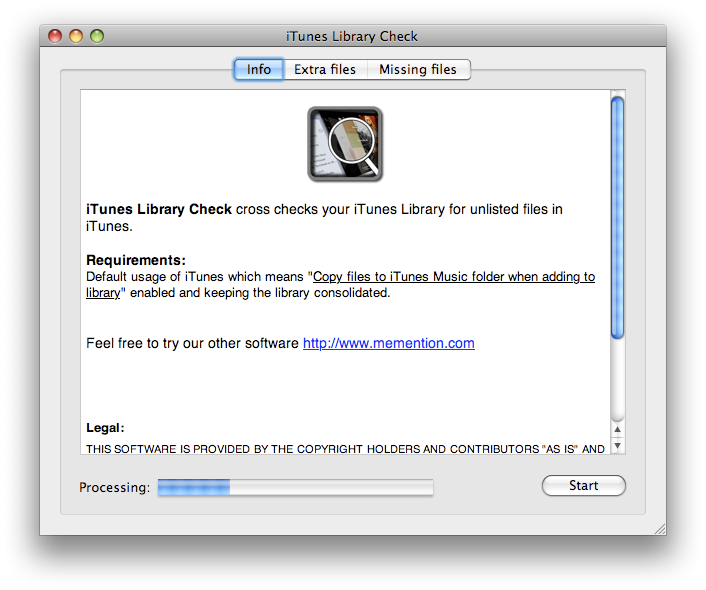
iTunes Library Check cross checks your iTunes Library for unlisted files in iTunes.
It scans the iTunes music library and checks if the found files are referenced in the iTunes xml file. All unreferenced files are listed in the "Extra files" tab view and all references that lack actual files are listed under the "Missing files" tab view.
I wrote it for personal use but decided to put it out for free. Because we can't test all possible ways to manage iTunes libraries and iTunes versions it only reflects the usage me and my colleague use iTunes.
We have released the source code and it is now available at github.
WARNING! Movie rentals come up in the "extra files" section because they are managed some other way by iTunes than in the xml file.
Download
iTLC 1.2 (download link no longer available)
Requirements
- Mac OS X 10.4
- Having music folder set to default location in ~/Music/iTunes/
- Default usage of iTunes which means "Copy files to iTunes Music folder when adding to library" enabled and keeping the library consolidated.
Version history
- 1.2
- Do not count iPhone Ringtones. (They seem to be handled differently by iTunes)
- 1.1
- Added feature to move extra files to Trash and some minor details
- 1.0
- First release