AC3D reader lib Archived
Archived — this app is no longer maintained. Details preserved for reference.
Do you want to create amazing iPhone apps with 3D graphics? With this easy to use AC3D reader lib you will be able to put 3D models created with AC3D in your iPhone apps in just a few minutes.
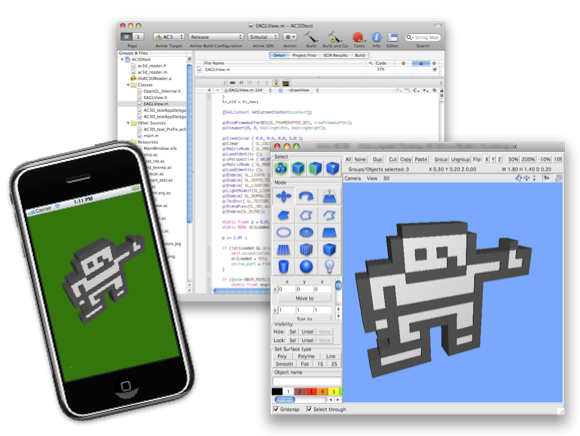
Source code
Get the source code from github.
Usage
Initial Xcode steps
1.  Add ac3d_reader.h, ac3d_reader.m, AC3DTexture.h and AC3DTexture.m to your iPhone project
2.  Add .ac files and textures to the project
3.  Add CoreGraphics.framework to project
4.  Enable depthbuffer
5.  Enable lighting
Load model
char *err = NULL;
AC3DFile *acFile = read_ac3d_file("filename.ac", &err);
if (err)
  NSLog(@"AC3D error: %s", err);
Draw model
// Save matrix
glPushMatrix();

// Setup position and orientation
glTranslatef(...); // Position
glRotatef(...);    // Rotate

// Draw it
draw_ac3d_file(acFile);

// Restore matrix
glPopMatrix();
Cleanup functions
free_ac3d_textures(); // Removes all textures, no rendering should be done after
free_ac3d_file(acFile);
Running in simulator outputs info during loading
File thumbsup.ac
Tris: 372
Created tri strips: 69
Points removed: 162
Loading a model from a thread
@implementation EAGLView

// Thread method
- (void)load_models:(id)sender
{
  char *err = NULL;
  NSAutoreleasePool *pool = [[NSAutoreleasePool alloc] init];
  acFile = read_ac3d_file("filename.ac", &err);
  if (err)
    NSLog(@"AC3D error: %s", err);
  [pool release];
}

- (void)awakeFromNib
{
  :
  // Start thread
  [NSThread detachNewThreadSelector:@selector(load_models:)
                           toTarget:self
                         withObject:nil];
  :
}

- (void)drawView
{
  :
  // Draw model when available
  if (acFile)
    draw_ac3d_file(acFile);
  :
}

@end
Modify materials in runtime
1. Get the material index that will be used by looking in the material section
   first in a .ac file. Counting from 0

2. If you need to reset the values, read them with the function
   get_ac3d_material(..) and store them for later use

3. Set a materials settings with the set_ac3d_material(..)
Modify textures in runtime
Use the functions set_ac3d_texture(..) or set_ac3d_texture_named(..)
to set new textures in a model. The first is used when a texture id is available
from a previous glGenTextures(..) call and the second when a new file is to replace
a texture.

To reset a texture back to the inital texture use the function reset_ac3d_texture(..)
Prepare AC3D model for iPhone usage
1. Make sure to Commit Subdivision in AC3D
2. Prepare for tristrip optimization by triangulating the model in AC3D
3. Change texture sizes to be a power of 2 ie 128x128, 512x256
Limitations
There was a bug in the iPhone 3GS when drawing flat shaded triangle strips (pre iOS 3.2). This affected the demo projects that used the thumbsup.ac model. Please read here about it.
- Fileformats for textures
- jpeg, png, tif, gif, bmp, xbm
- No scenegraph
- The AC3D reader lib is not a scenegraph so culling, camera and lighting need to be handled explicitly
- Transparency
- No draworder is used for transparent polygons which can be a problem in certain situations
- Crease angle
- The crease angle in AC3D is not used, surfaces are either fully flat or smooth shaded
- Light sources
- Light sources are not used. Lighting should be handled in OpenGL directly as this renderer is for rendering dynamic objects and not full static scenes
- Two sided lighting
- Two sided surfaces (2S) may not be rendered properly on the iPhone as two sided lighting is not yet supported on it. This is fixed on the iPhone 3GS
- Large models
- This is not so much a lib problem but rather a iPhone problem. A two step optimization phase is used when loading. If it takes too long to load, a workaround can be to load the model in a separate thread. QVis can be used to reduce the triangle count making large models usable on the iPhone.
Version history
- 1.0
- First release to github
· · ·